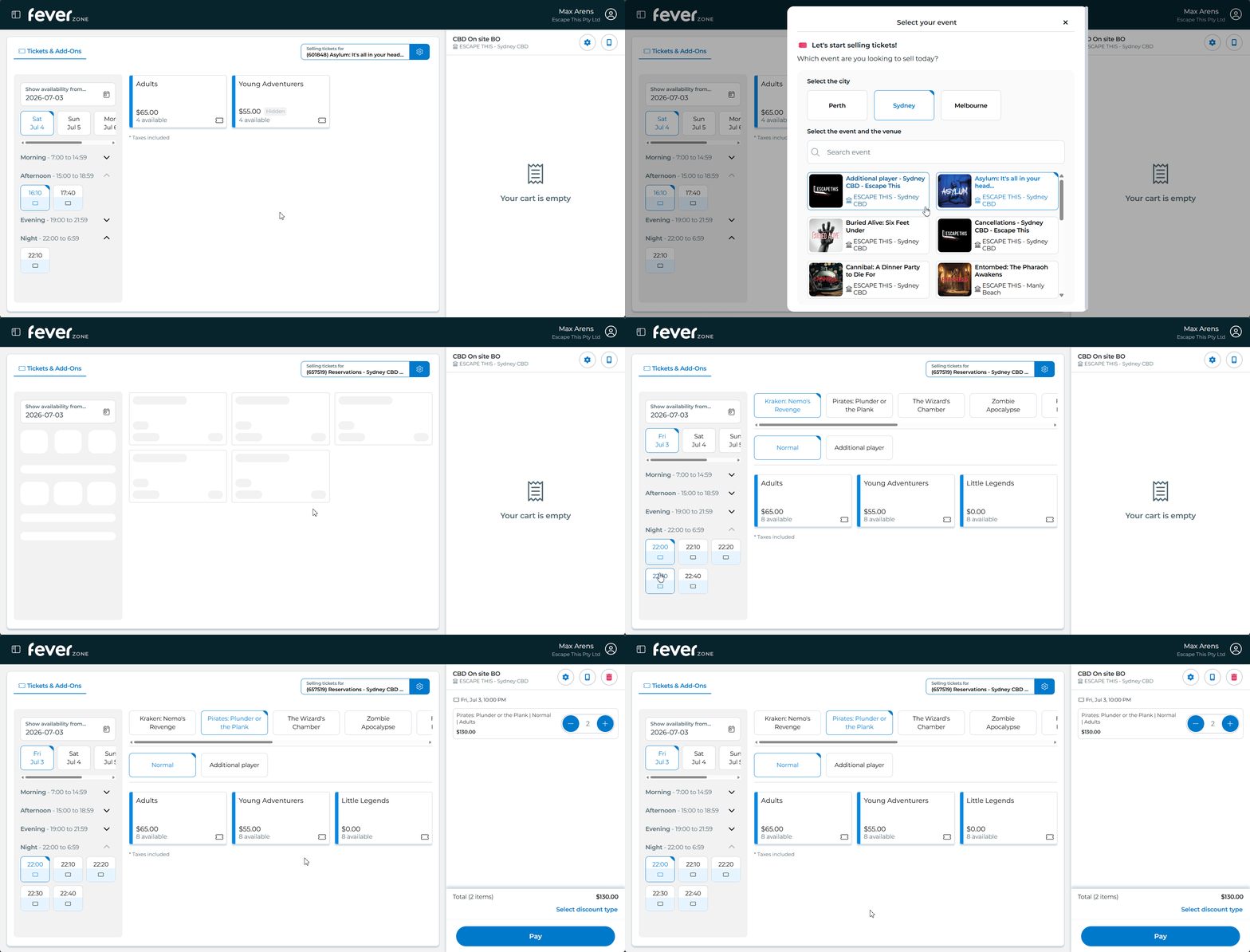
Handling Walk-ins
Walk-in bookings on Fever can be processed from either the concierge computer or directly from the card reader.
Box Office Layout
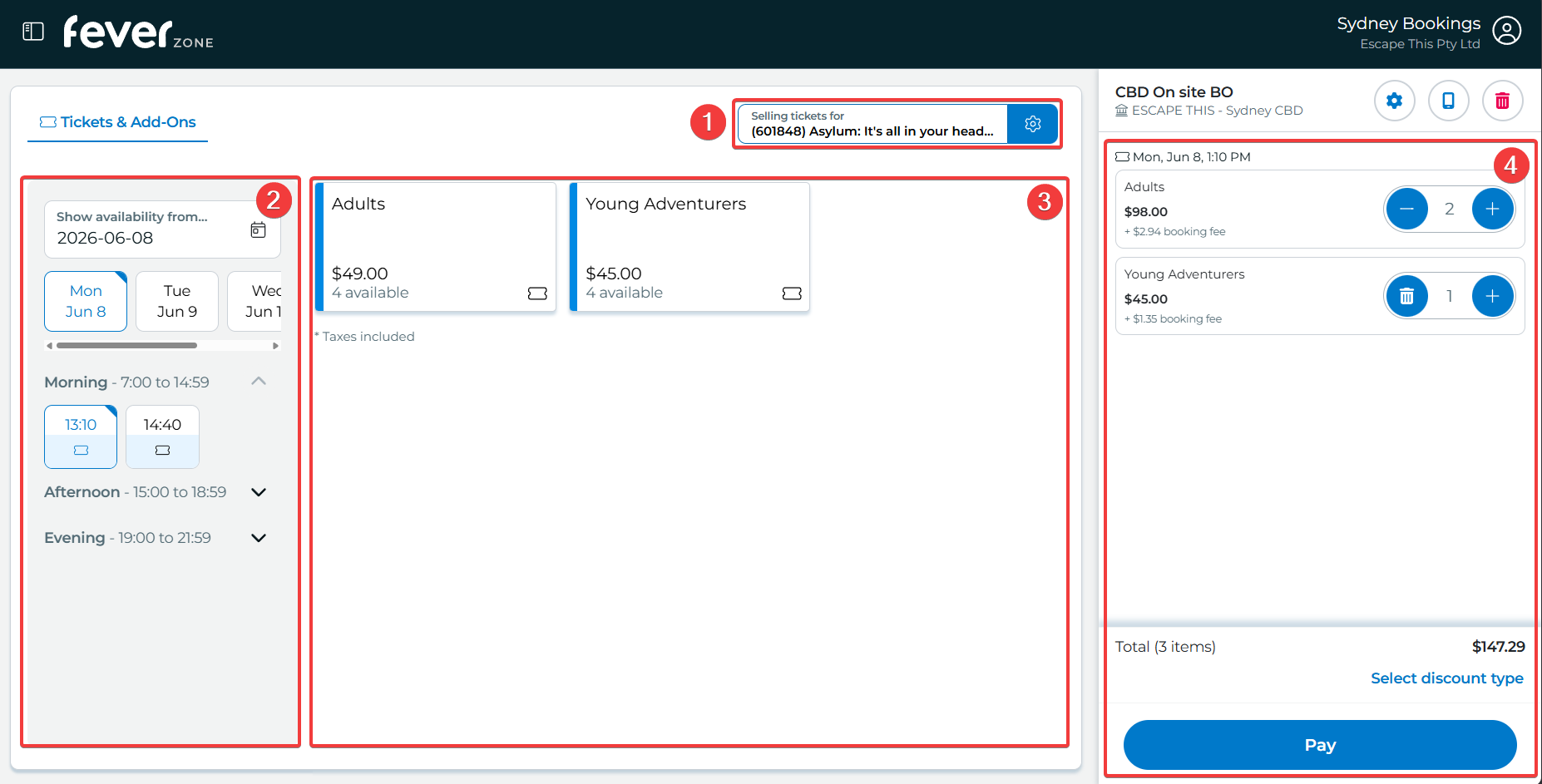
- Room Selector - Use this to change which room you want to sell tickets for
- Session Selector - Use this to change which date & time you want to sell tickets for
- Price Options - Select which age groups players are and click the right number of times to add that many players to the cart
- Cart - Adjust player counts, review session times and process payments
Select Options
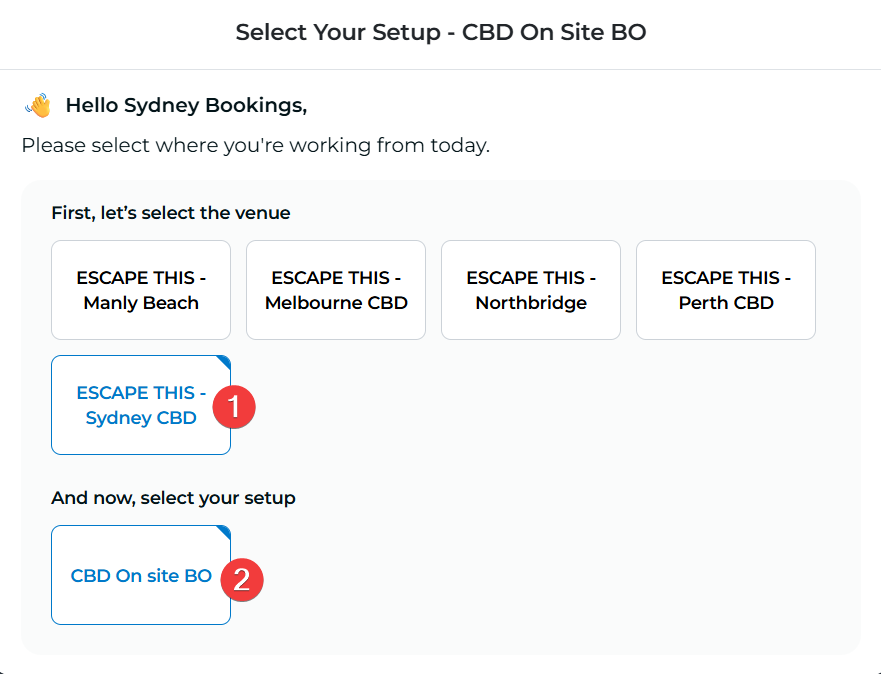
Select your setup.
This will change the active card reader.
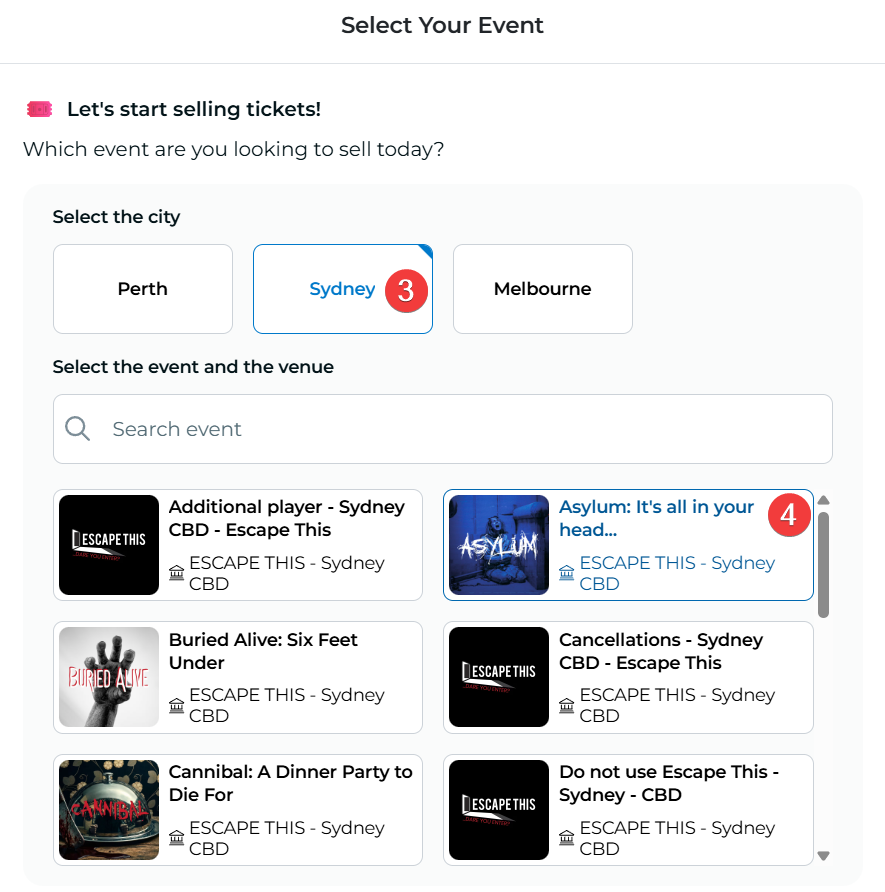
Select a venue and room to sell tickets for
Prepare Tickets
Warning
Do not sell any tickets with a Hidden badge unless you know why they are hidden! These sessions may be closed for maintenance or other operational reasons which could prevent you from putting players in the room.
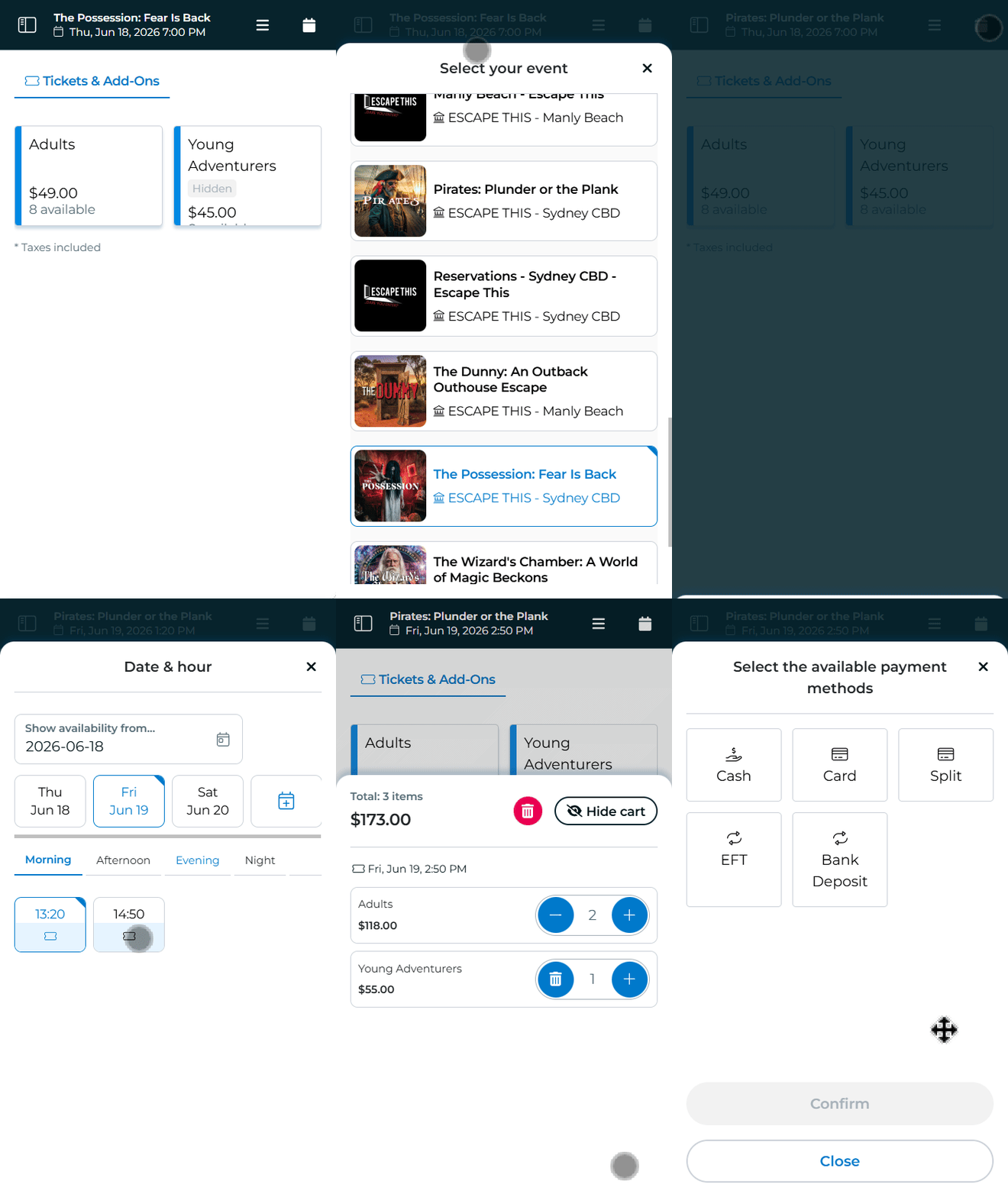
- Select the desired room under "Selling tickets for" in the top right.
Make sure to select the entry with the name and logo of the room you want to sell tickets for. - Select the game start time in the left panel
If the start time is in the past, follow the Past Sessions guide instead - Select the tickets you want to sell
e.g. for 2 adults and 3 kids, click "Adults" twice and "Young Adventurers" three times
Process Payment
Warning
When you select a payment method, Fever will lock out the session to prevent double bookings.
If you need to cancel payment to change something (e.g. to change from card to split payment) you will need to wait a few minutes before Fever will allow you to try again with the same session.
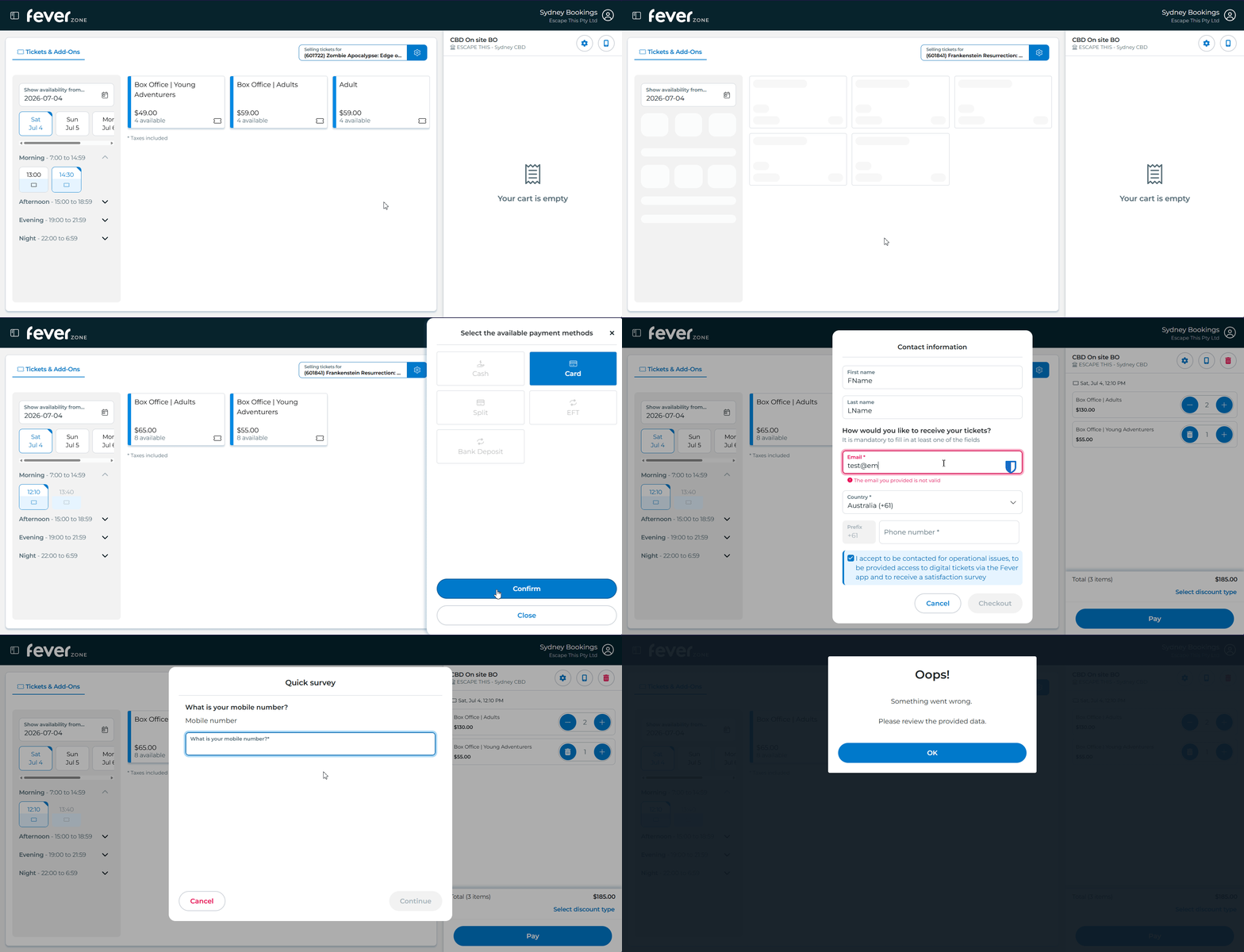
- Review the cart - make sure that the room name, session time and player counts look correct
- Press "Pay" and select a payment method
- Enter the team's details. While you're here, copy their phone number as you'll be asked again
- Enter the team's phone number again
- Take the payment and record any details needed on fever.
For card and split payments, the payment will automatically appear on the active card reader. If it doesn't, check the card reader is on and that the correct one is selected.
Payment Methods
| Payment Method | Description |
|---|---|
| Cash | A regular cash payment for the full amount |
| Card | A regular card payment for the full amount |
| Split | A split card payment between multiple people. You can split evenly between all players or enter custom split amounts, but you can't mix cash and card. |
| EFT | A card payment taken through the NAB card terminal instead of the Fever one |
| Bank Deposit | A bank transfer payment, usually for corporate groups |
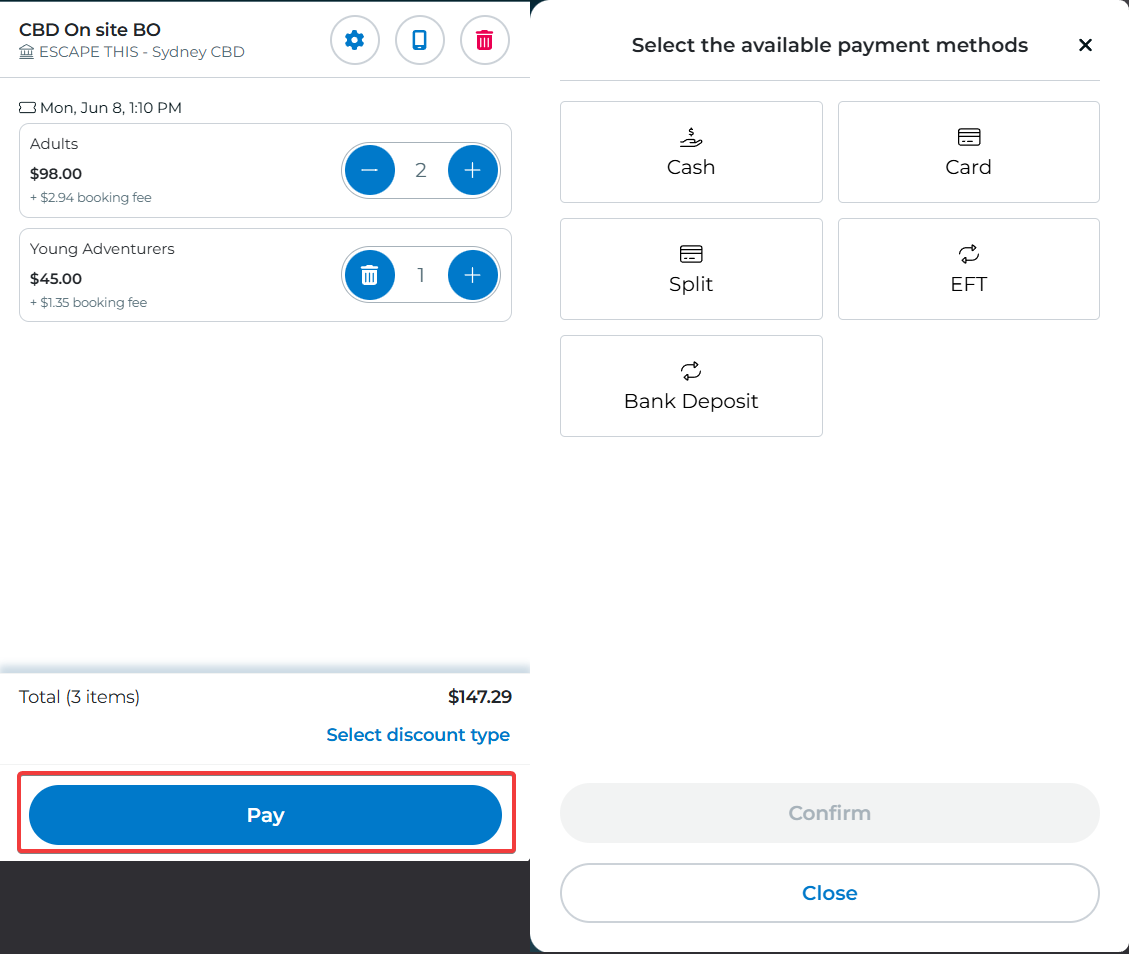
Payment Methods
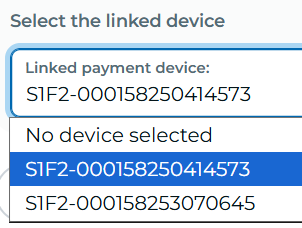
Change Card Readers
If your venue has multiple card readers, press the button above the cart to select which one you want to use.
In the dropdown you'll see their IDs, the last few digits of which are labelled on the side of the card reader (e.g. …414573)

Past Sessions
If the scheduled start time for the session you want to sell has already passed, you won't be able to sell it with the normal room selected
- Select "Reservations - Venue Name" with the Escape This logo instead of the room under "Selling tickets for" in the top right.
- Select the game start time in the left panel. In Reservations you can select times up to 30min in the past.
- Select the room name in the top row. Leave "Normal" selected in the second row.
- Select the tickets you want to sell
e.g. for 2 adults and 3 kids, click "Adults" twice and "Young Adventurers" three times