Closing Sessions
Info
You must close sessions on both Fever and ER-OS
Warning
Fever session closures take a few minutes to go through on all public pages
They will also still show as available in the Box Office, so use ER-OS closures to signal to others that the session is closed and should not be sold.
Closing on Fever
Block Time
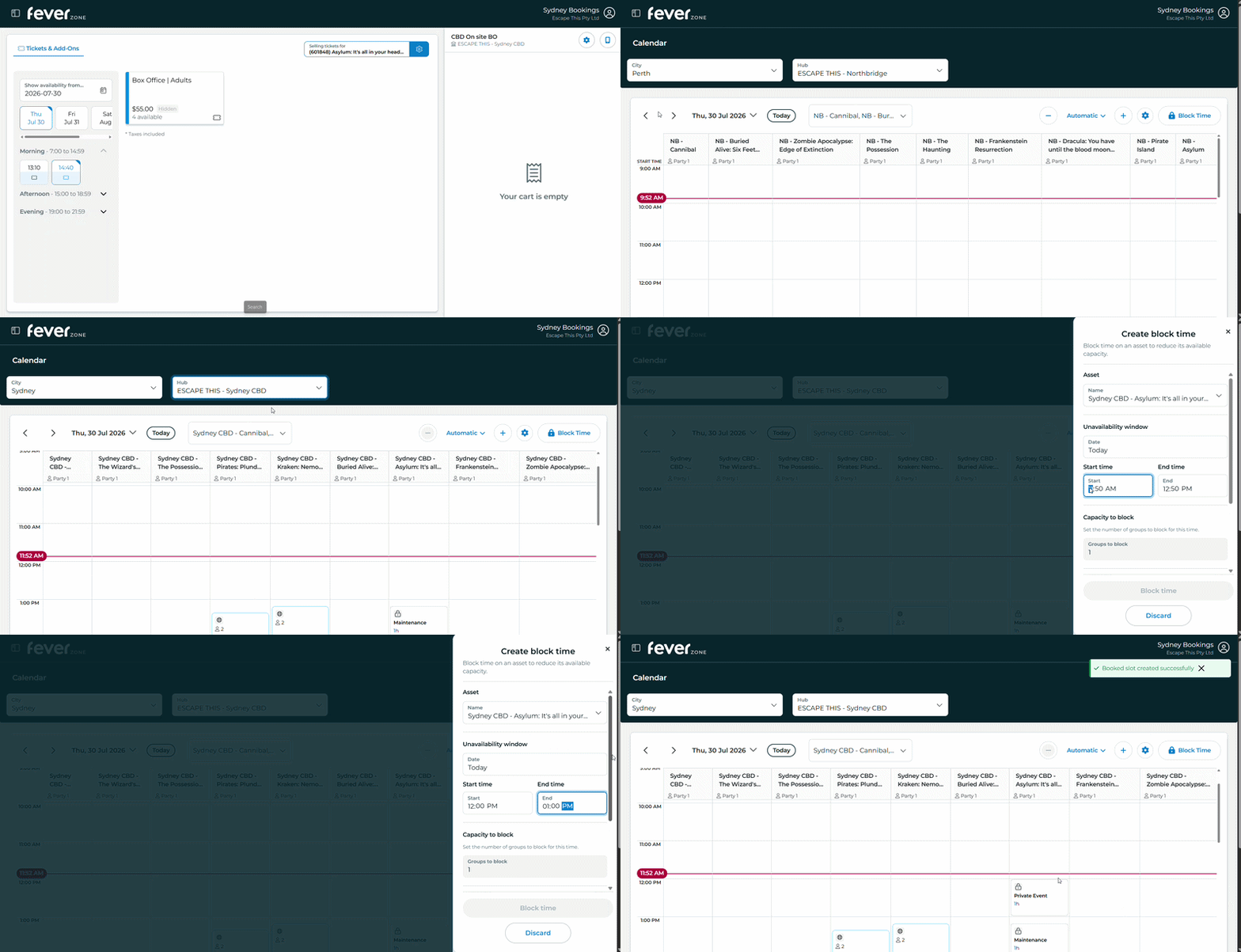
To close a session in Fever, navigate to “Assets > Calendar” in FeverZone and ensure you are on the correct date and venue.
- Select "Block Time"
- Select the Asset which matches the room you want to close (ex. Asylum)
- Enter the date and time range you want to block
- Select a Block Reason. Choose Maintenance for maintenance issues and Private Event for groups in the room.
Removing Time Blocks
Old Method
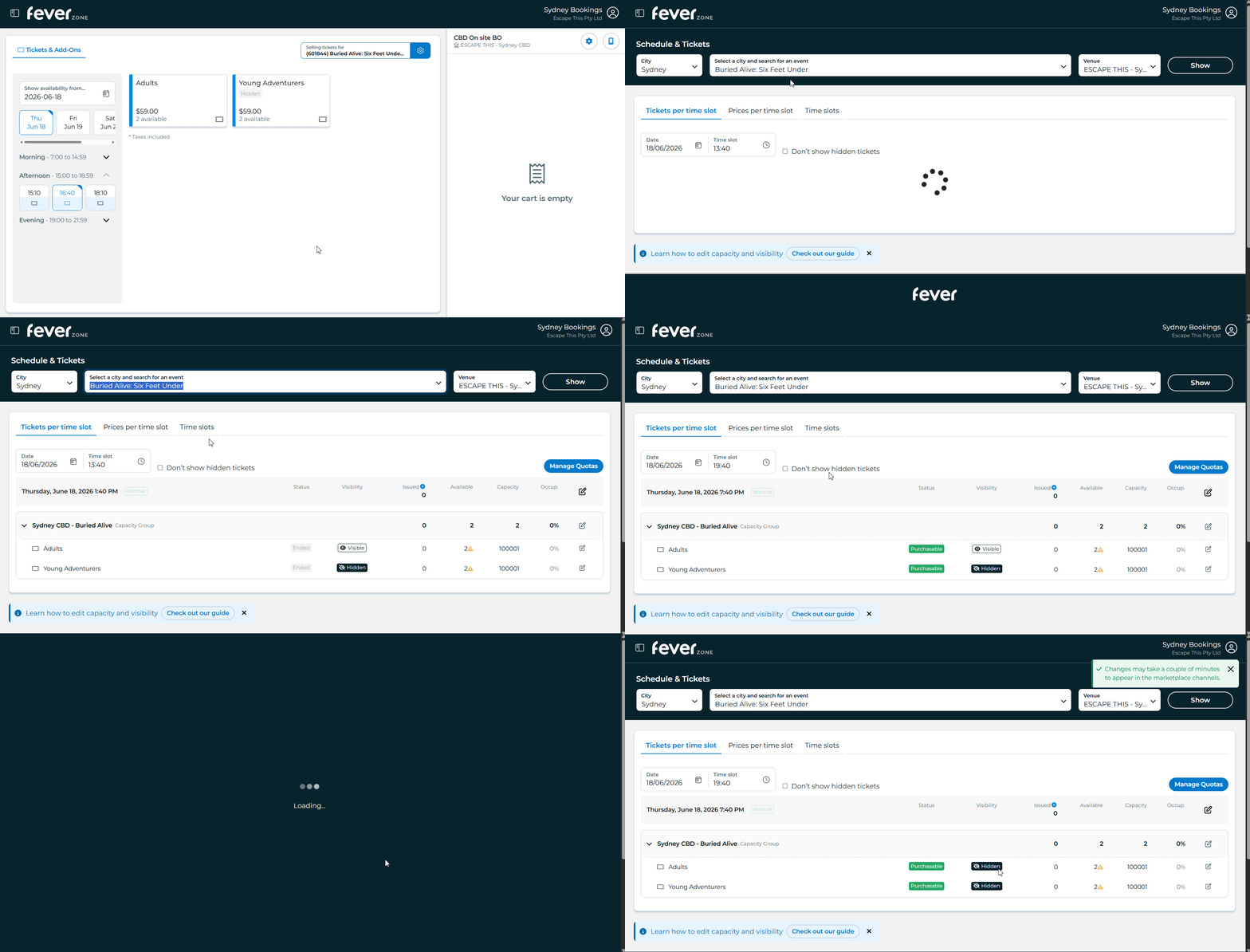
To close a session in Fever, navigate to “Events > Schedule & Tickets” in FeverZone and ensure you are on the “Tickets per time slot” tab
Select your target room using the wide dropdown at the top, then select the timeslot you wish to close. Each timeslot must be closed separately.
Danger
On horror rooms you must close just the Adult price bracket - not the whole capacity group
If you edit the whole group, Fever sometimes toggles the (usually disabled) child price bracket to active, which we do not want
To close a horror room, find the Adult price bracket and press the pencil icon to the very right. Switch off “Ticket visibility” and press save.
To reopen the session, turn visibility back on and be careful to only enable the adult option
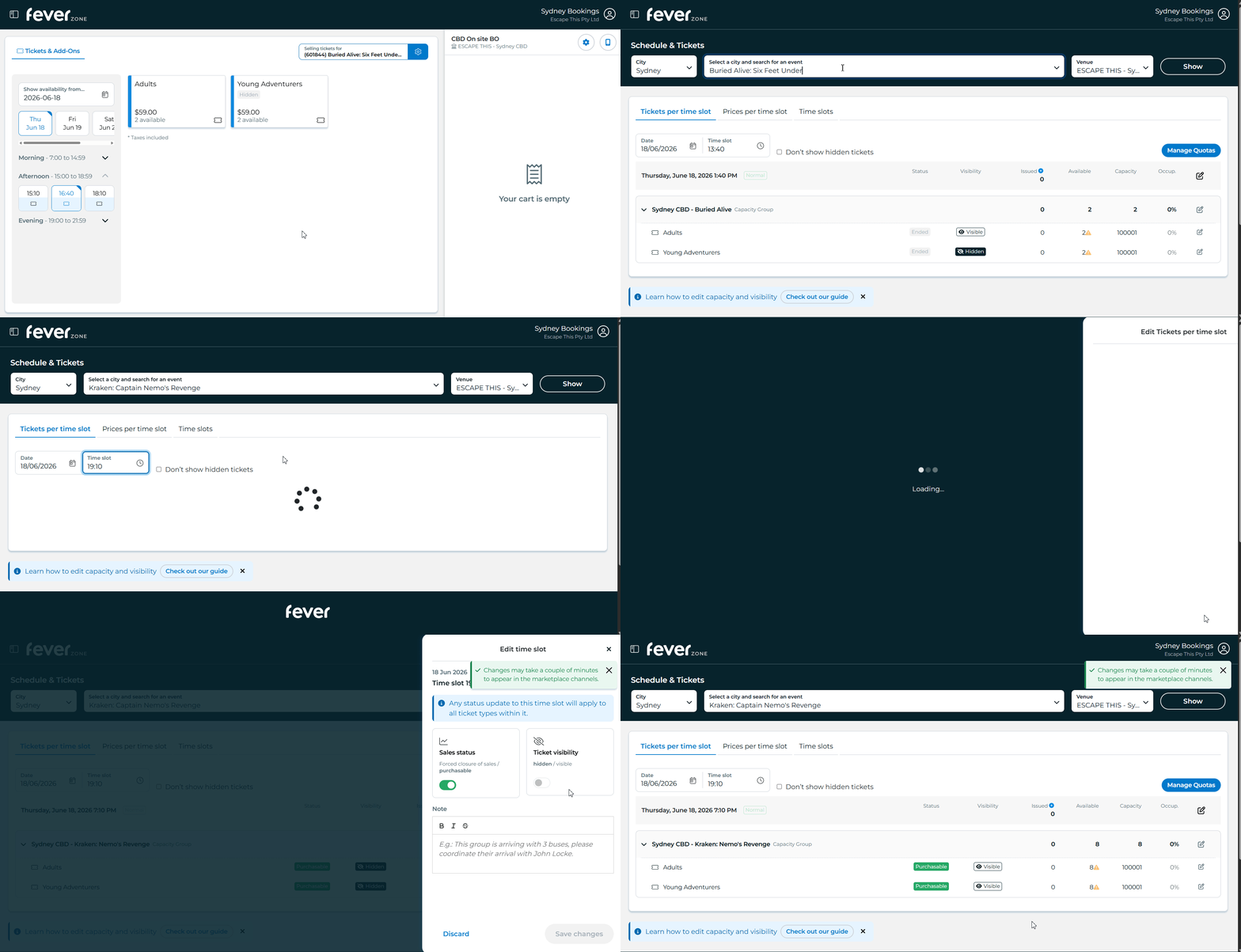
Click the pencil icon to the right of the date and time header. Switch off “Ticket visibility” and press save.
To reopen the session, turn visibility back on.
Closing on EROS
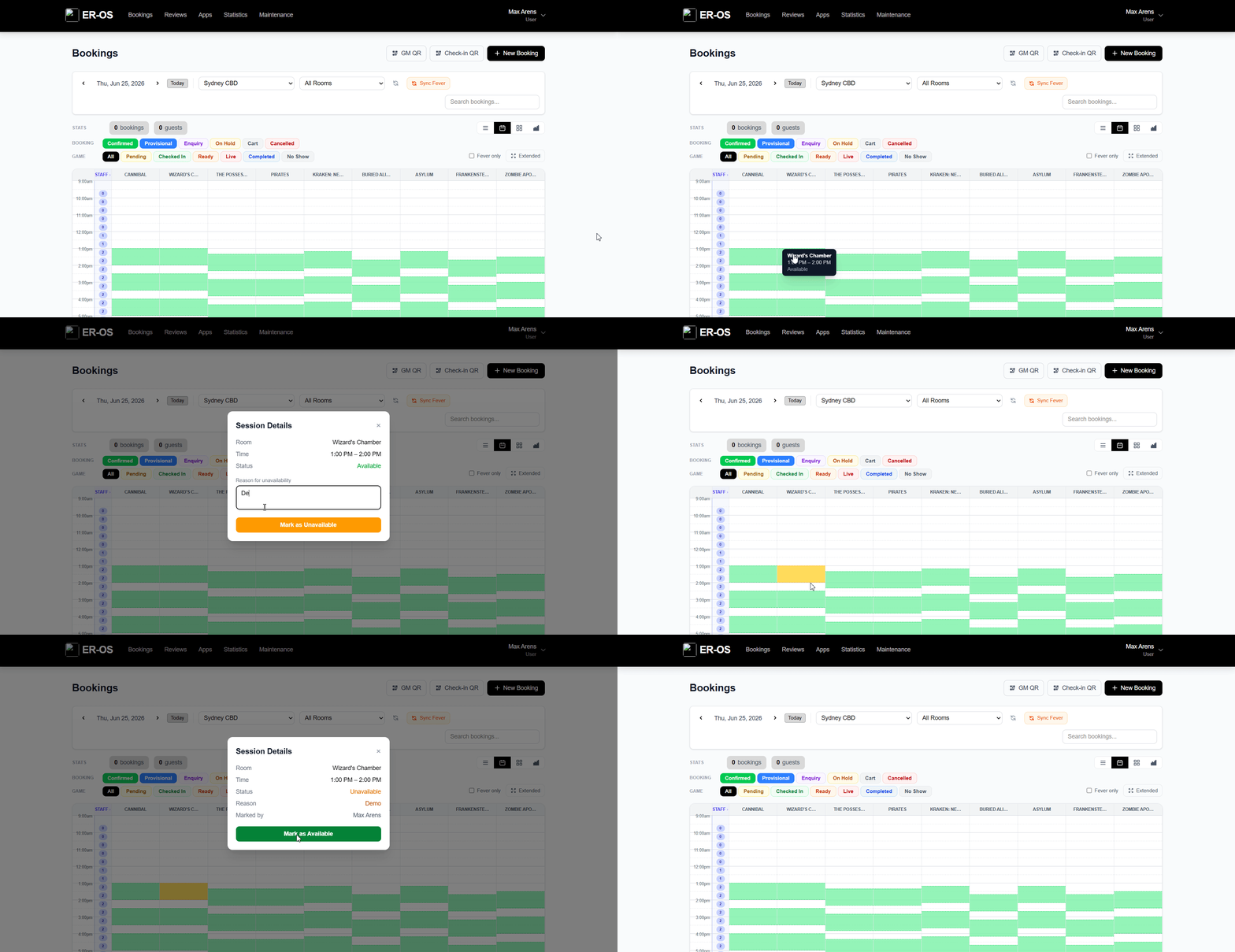
Click on any unbooked session to open the close popup, enter a reason and press save. The session will turn orange to indicate that it is closed.
To undo, click the closed session and mark it as available.