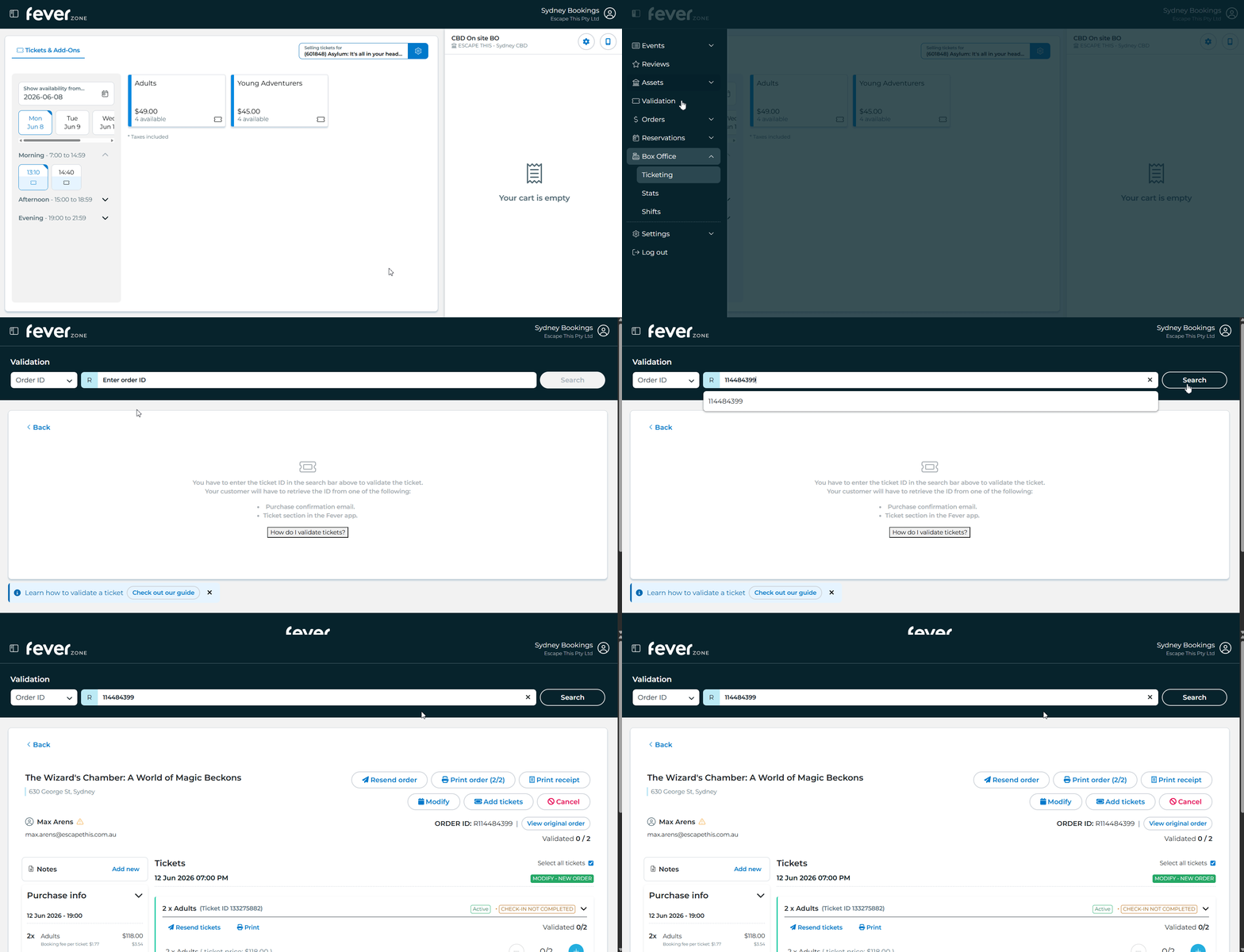
Booking Lookup
There are 3 ways to find bookings in Fever
EROS Link
When viewing a Fever booking in EROS, a icon is shown next to the booking key. Clicking it will open the booking in Fever.

Fever Calendar
The calendar can be found under Assets > Calendar in FeverZone
Turn off "Compact Mode" to show organiser names. If you haven't opened the calendar recently you'll also need to reselect the correct venue.
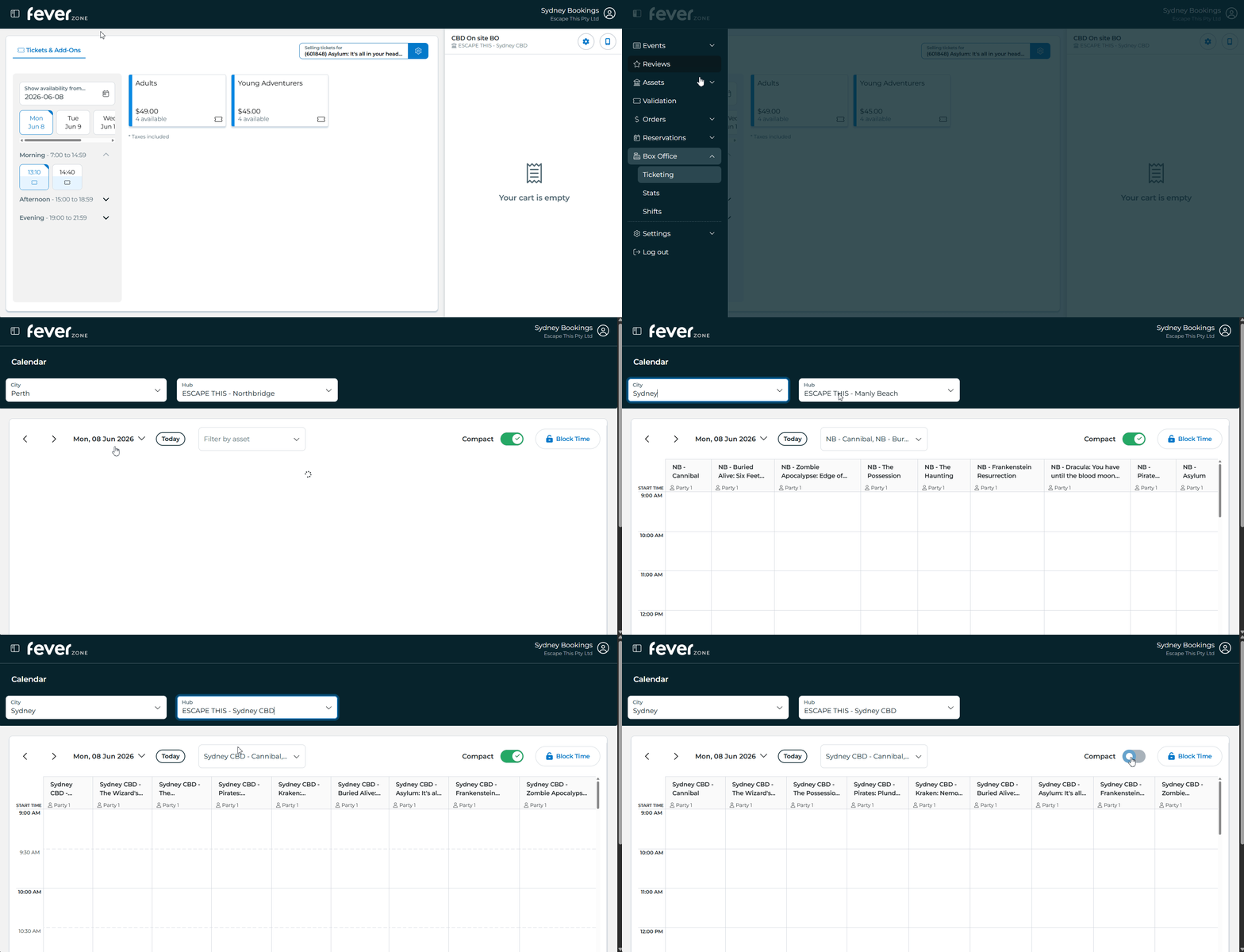
You can then access a booking's details page by selecting the booking then pressing “Edit Order”
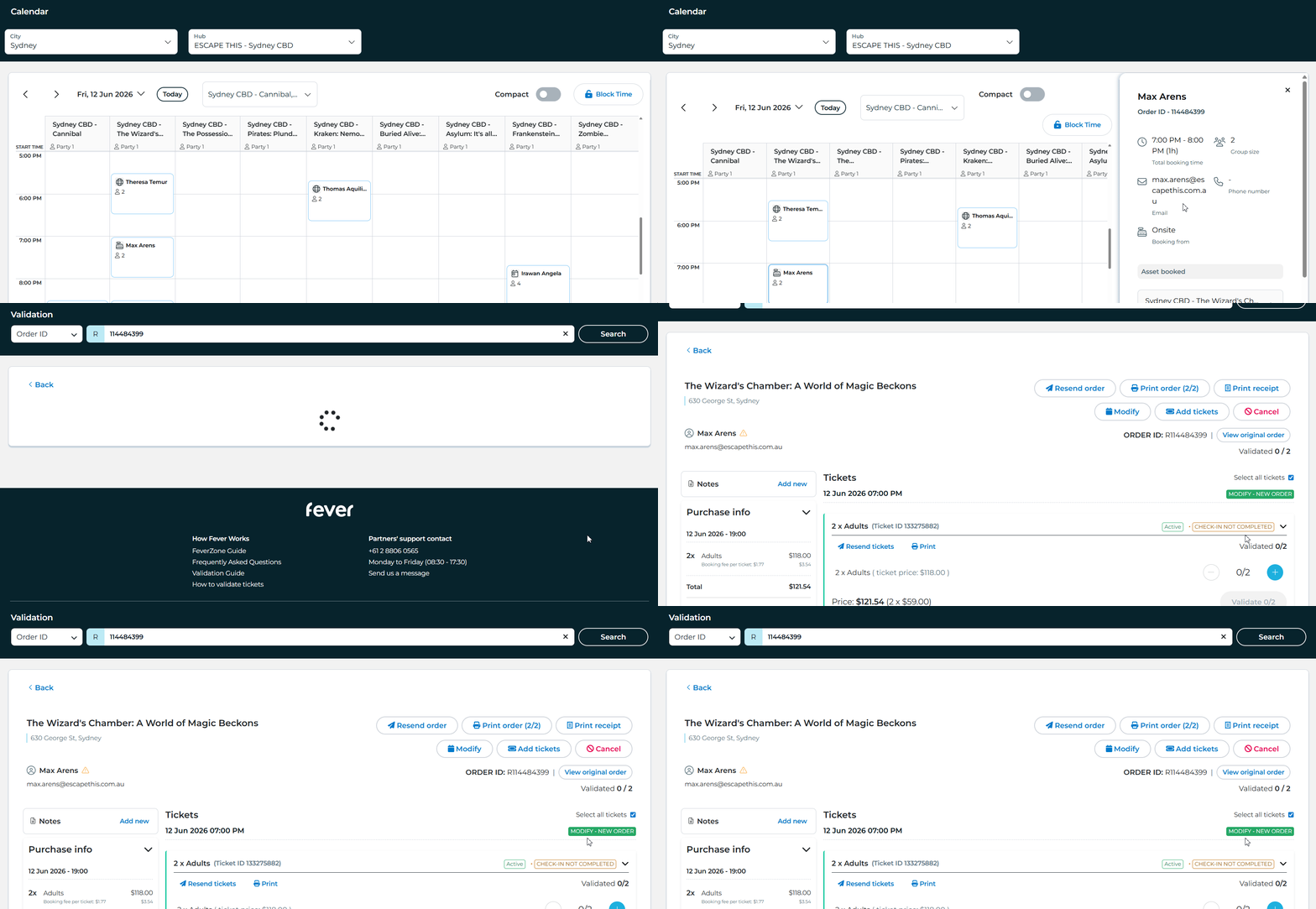
Lookup by Details
You can also look up a booking using details such as the order ID or email address from the Validation screen.
If searching by order ID, ask the customer for the number beginning with the letter R (though you don't need to actually enter the letter)
Tip
You can also find the order ID in ER-OS - look for the booking key starting with FV-
FV-123456→ order number 123456FV-123456-7→ order number 123456 (this format means multiple rooms were booked under a single order)